Multiple Assignees
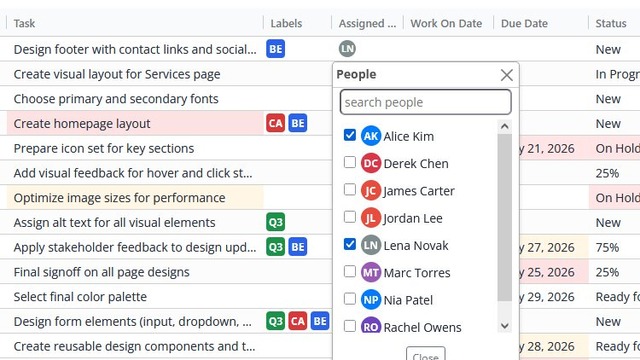
Assign a task to more than one person
See each person's work across all projects in one view. Organized by week, prioritized by day, with status, progress, and context visible at a glance. No jumping between projects. No digging into details. No asking for updates.
Assign a task to more than one person
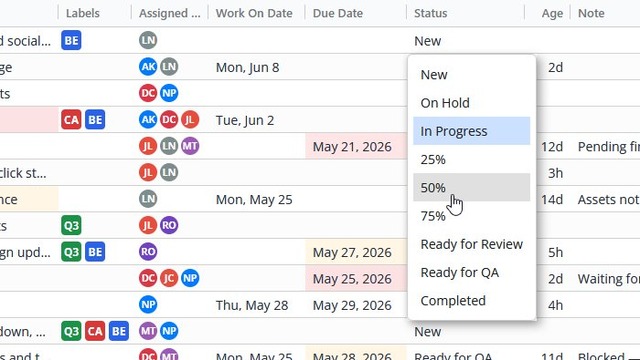
Define your own progress stages to match your workflow
Create color-coded labels to categorize your tasks
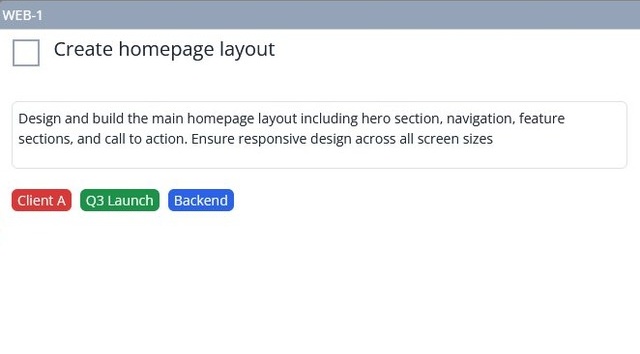
Add your own data fields to tasks. Text, numbers, dates, dropdowns, and checkboxes.
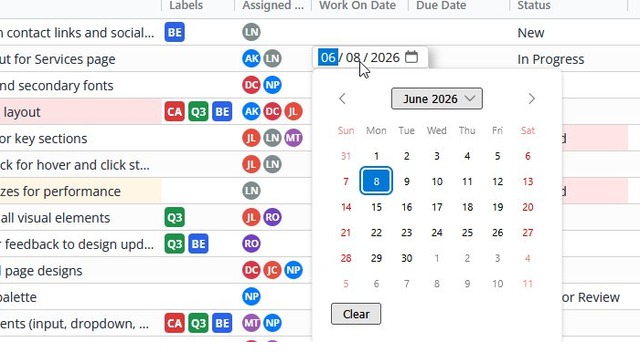
Schedule when work should be done, separate from the due date
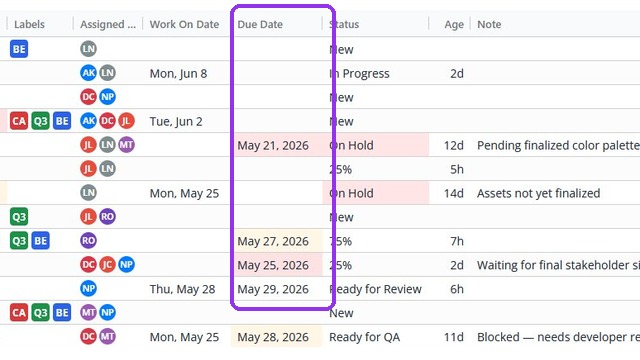
Set task deadlines and see when they are approaching or past due
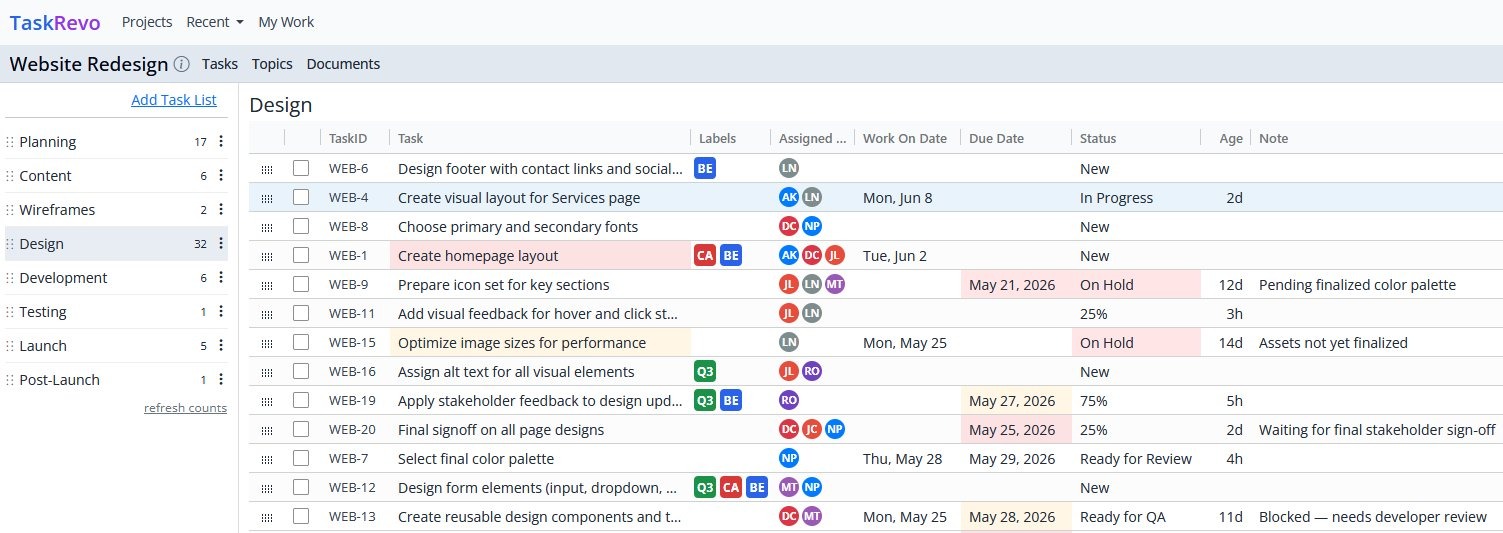
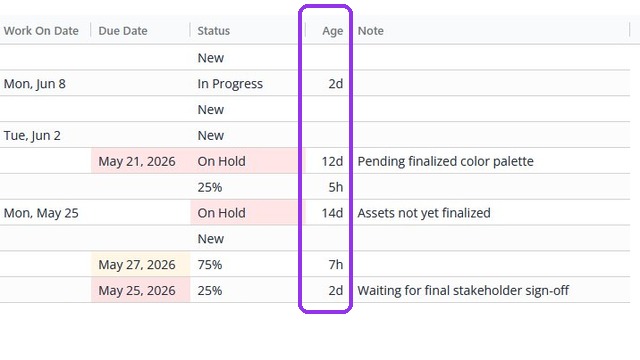
Quickly spot tasks that haven't moved in days or weeks
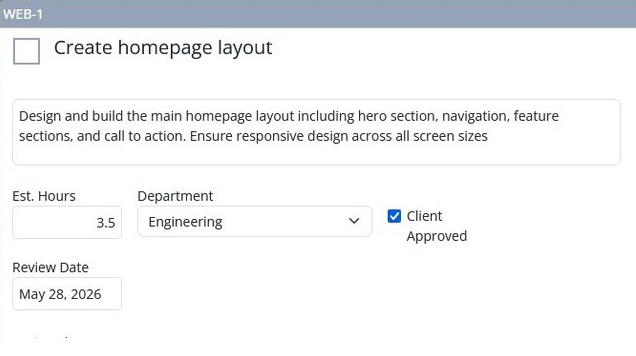
Update key fields without opening the task
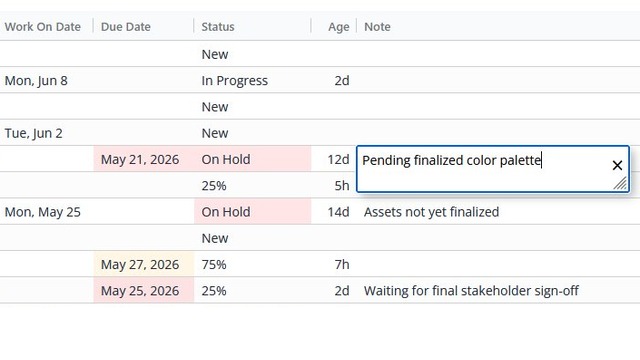
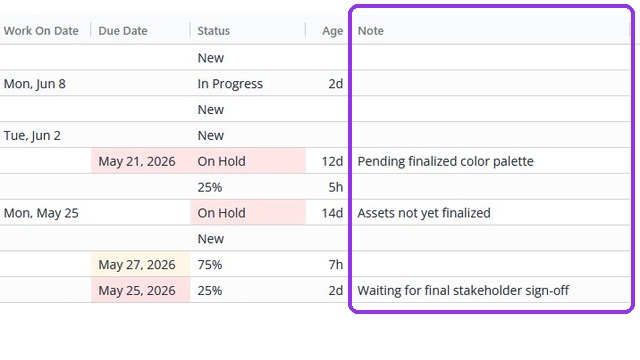
Add a note to any task to explain delays, holds, and other important details
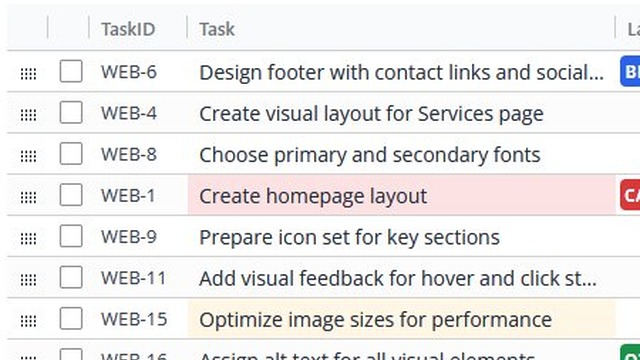
Color-coded titles make high-priority work stand out at a glance
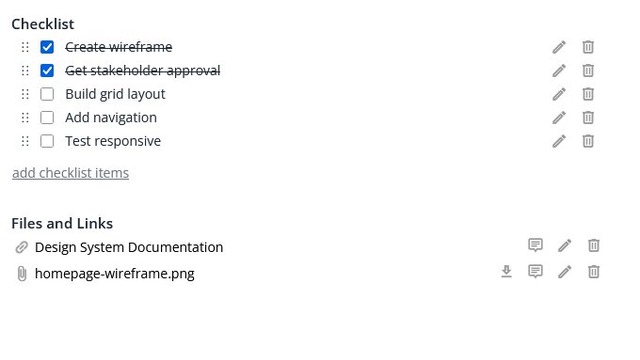
Break a task into steps
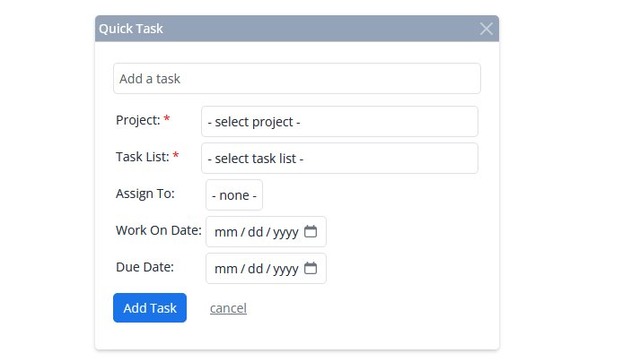
Create a task from anywhere without leaving what you're working on
Instantly understand each person's workload and priorities.
No more opening multiple projects or clicking through task details to get the full picture.
Team members see all of their assigned work in one place.
Managers can quickly understand what's planned, what's getting done, and what's falling behind.
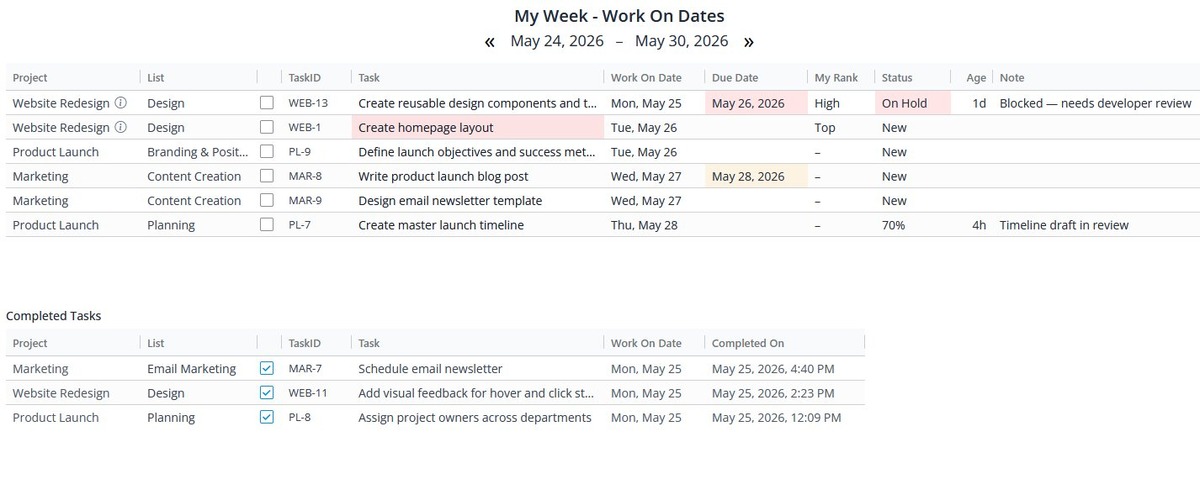
View your work by week, month, due date, or all at once.
When you have multiple tasks on the same day, My Rank allows you to order them so you and your team always know what to work on first.
Switch to any team member's My Work view to understand what they're working on, what's planned next, and where work stands.
Visualize work as a drag-and-drop board where tasks move across columns as work progresses.
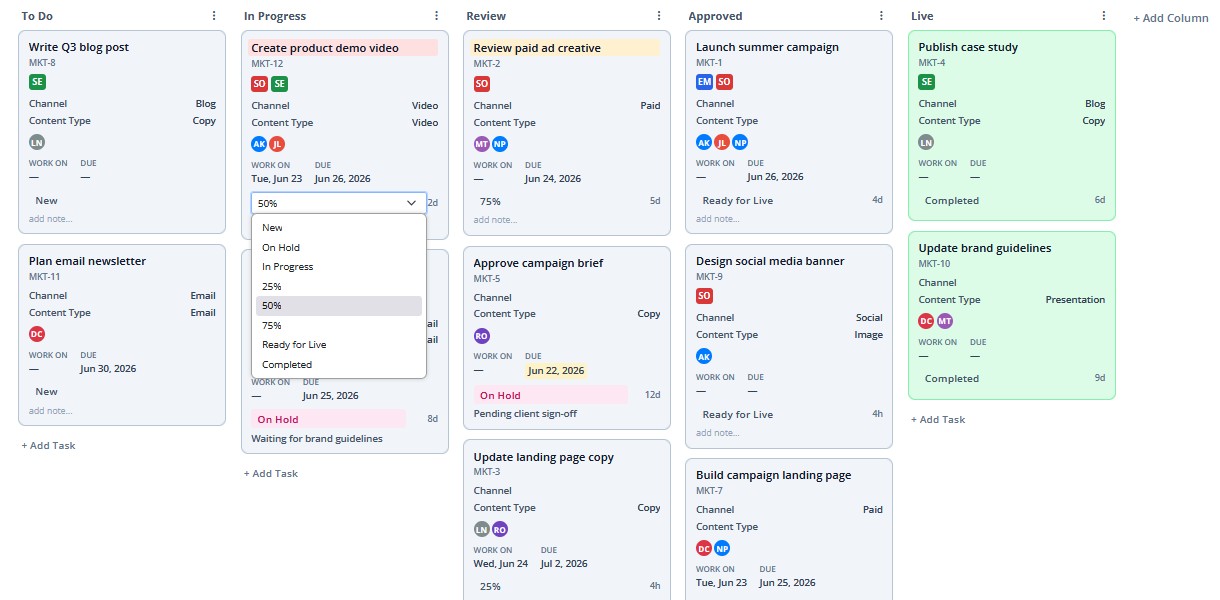
See every task, every stage, and who owns what. All on one board.
Create columns that match your workflow and reorder them any time.
Update key fields directly on the card without opening it.
A clean, powerful grid to manage and track all your tasks.
Plan and track work in sprints, stories, and a backlog.
Keep team conversations organized inside the project where the work lives. Share updates, ask questions, and discuss ideas without switching tools.
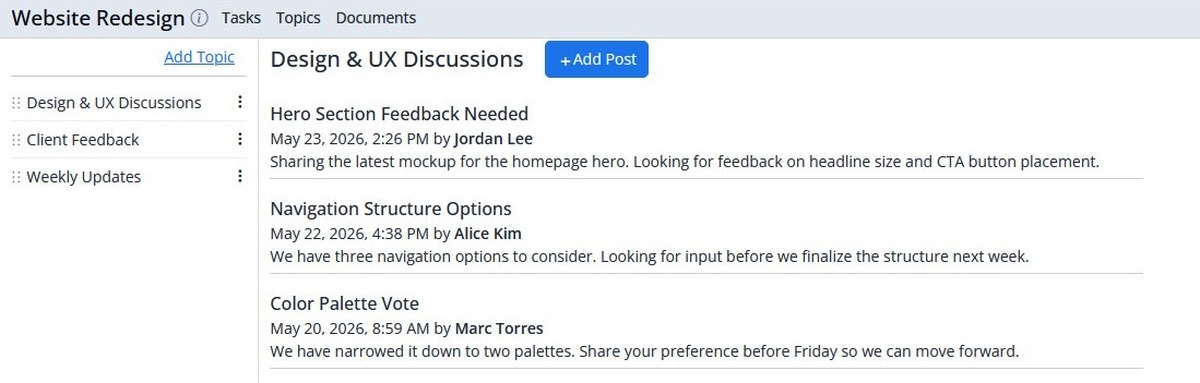
Create a topic for any subject your team needs to discuss, such as updates, ideas, meetings, and announcements.
Post updates, ideas, meeting notes, and announcements within any topic.
Comment on any post to keep conversations focused.
Store files, links, and rich text documents in a structured folder hierarchy, organized the way your team works.
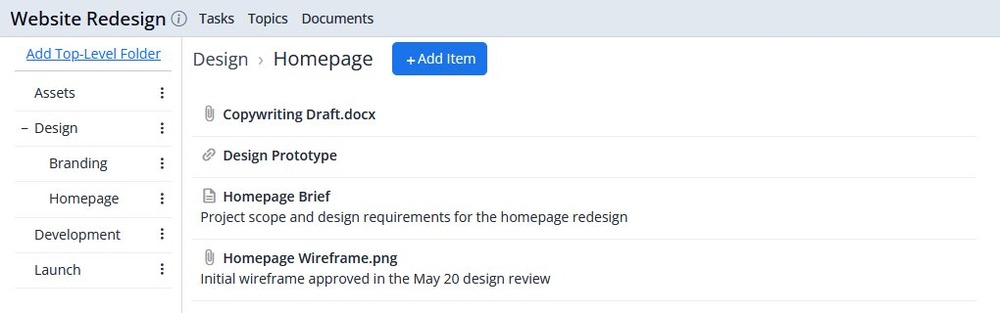
Organize your project content in a folder hierarchy that mirrors how your team works.
Create rich text documents for specs, briefs, notes, and more.
Attach files or add external links directly inside folders.
Discuss and collaborate on any document, file, or link.
Search tasks, files, and conversations with powerful filters to quickly narrow results.
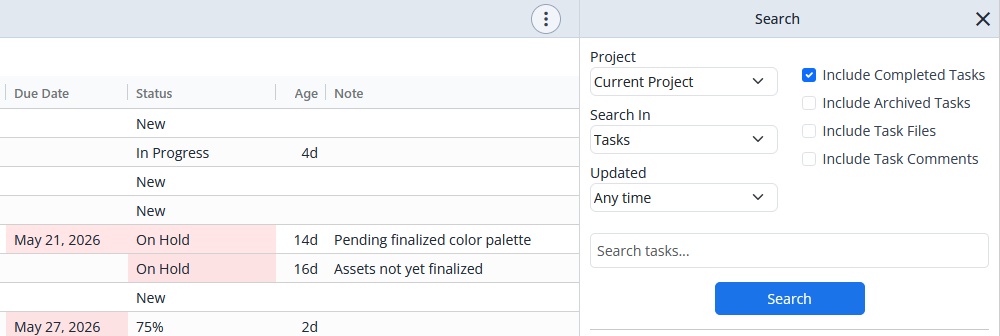
Quickly find tasks, posts, documents, and files.
Find attachments by their note, not just their filename.
Search within one project or across all your projects.
Include completed tasks, archived items, files, or comments in your results.
60 days free beta. No credit card required.
Start Free Beta